If you follow more than a handful of blogs or news sites, you know the two bad options: refresh a dozen homepages by hand, or let a social algorithm decide what you see. RSS is the third option, and it beats both.
The takeaway up front: RSS pulls every site you care about into one clean, chronological list you control — every new post, in order, with no algorithm hiding things and no inbox to keep clear. Once it's set up, checking twenty sites takes the time it used to take to check one. Here's how to set one up, find the feed for almost any site, and keep your feeds calm.
What an RSS feed actually is
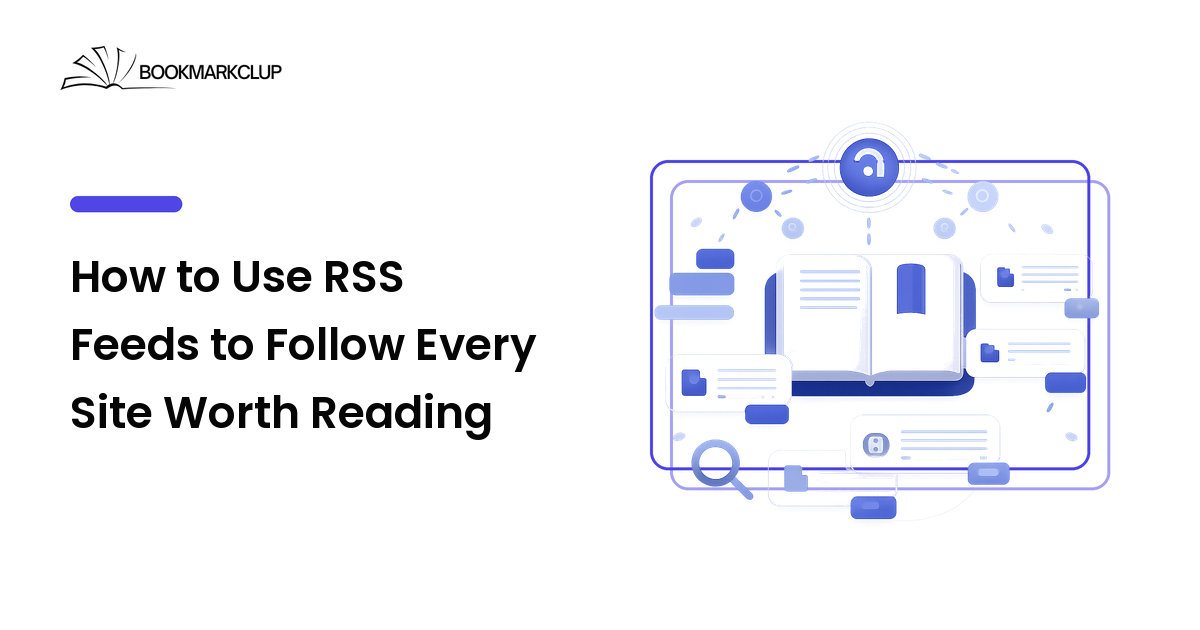
RSS stands for Really Simple Syndication, and the idea lives up to the name. Most blogs, news sites, and publishing platforms automatically produce a feed — a plain, machine-readable file listing their latest posts, each with a title, link, date, and summary. You never see this file directly — an app called a feed reader checks it and shows new items in a tidy list.
Subscribe to a feed and its new posts appear in your reader whenever you open it — nothing emailed, nothing ranked, nothing expiring out of a timeline. It's a pull system: you decide what to follow, and your reader gathers it on your schedule.
RSS is older than the modern social web and never went away, because the core idea is hard to beat. Blogs, most news sites, YouTube channels, podcasts (podcasting runs on RSS under the hood), Reddit, and many newsletters all publish feeds. Atom is a near-identical newer format that readers treat the same, so you never have to care which one a site uses.
Why RSS beats an algorithmic feed or a full inbox
There are three common ways to keep up with a site you like. Here's how they compare on what actually matters over the long run.
| What matters | RSS feed | Email newsletter | Social feed |
|---|---|---|---|
| Who decides what you see | You | The sender | A ranking algorithm |
| See every post, in order | Yes | Only what's sent | No — much is hidden |
| Adds to your inbox | No | Yes | No |
| Needs your email or an account | No | Your email | An account |
| Works for any site | Any site with a feed | Only email senders | Only that platform |
The honest summary: choose RSS when you want completeness and control. You see everything from the sites you picked, in order, without handing your inbox or attention to a ranking system. Newsletters still win when a writer publishes only by email; social feeds win for serendipity. Run all three if you like — but move the must-not-miss sources to RSS, so nothing important depends on an algorithm's mood or a crowded inbox.
How to start using RSS in four steps
You can be up and running in under ten minutes.
1. Choose a feed reader
A feed reader is the app that checks your feeds and shows what's new. They come as web, desktop, mobile, and self-hosted apps; weigh them on a short list of honest criteria, roughly in this order:
- Cross-device sync — first, because a post you mark read on your laptop should stay read on your phone. If you read in more than one place, weight this highest.
- Import/export (OPML) — pick a reader that exports subscriptions as an OPML file, the standard list-of-feeds format. It means you can move every subscription to another reader in one step and are never locked in.
- Speed and calm — a reader you can skim fast, mark all read, and close is one you'll keep using. A cluttered reader recreates the problem you're solving.
- Cost — many capable readers are free or open-source; others charge for sync, search, or filtering. Pay only when one clearly earns its keep.
There's no single best reader, only the one whose strengths match how you read — so pick on the criterion that matters most and move on.
2. Add your first feeds
In most readers you paste a site's web address — the homepage is fine — into the "add" box, and it finds the feed automatically. Start with five sites you'd genuinely miss, not fifty; a small, high-signal set is what makes RSS feel calm from day one.
3. Organize feeds into a few folders
Group subscriptions into a handful of folders by how closely you follow them — say Daily reads, When I have time, and Reference. Folders by priority beat folders by topic: they tell you what to open first and what can wait.
4. Build a light skim habit
Open your reader once a day or a few times a week, skim headlines, open the two or three worth reading, and mark the rest as read without guilt. The unread count is a menu, not a to-do list. And when a post is a genuine keeper, don't leave it buried in the reader — a reader is for the flow of new posts, while a read-it-later and collections system is for the handful you'll want again.
How to find the RSS feed for almost any site
Most of the time, pasting a site's homepage into your reader is enough. When it isn't, these tricks turn up almost any feed:
- Try the common paths. Many sites expose their feed at a predictable address — add
/feed,/rss,/feed.xml, or/atom.xmlto the root. WordPress sites, a large share of the web, almost always answer at/feed. - Look for the feed link on the page. A feed or RSS icon in the header or footer is a giveaway; failing that, your reader's search box often finds the site by name.
- YouTube, Reddit, and podcasts. YouTube publishes a feed for every channel, so you can follow creators without an account. Reddit exposes a feed for any subreddit or user — add
.rssto the URL. And every podcast is an RSS feed, so a podcast app is just a feed reader for audio. - Bridge the ones that hide it. For sites and newsletters with no obvious feed, feed-generator and newsletter-to-RSS services can build one, so even email-only writers land in your reader.
Keep your feeds from becoming the next overwhelming inbox
RSS stays calm only if you treat subscribing as a decision, not a reflex:
- Subscribe selectively. Add a site only when you'd genuinely miss it. It's the volume of low-signal feeds, not RSS itself, that recreates overwhelm.
- Prune on a rhythm. Every month or so, unsubscribe from any feed you keep scrolling past. Unsubscribing is instant and private — no awkwardness, unlike unfollowing a person.
- Never chase inbox zero. A big unread number is not a debt. "Mark all as read" is a feature, not a failure.
- Separate skimming from saving. Use the reader to skim and a save-it habit to keep; making your reader hold everything you'll want again is what turns it back into clutter.
A quick-start RSS checklist
- Pick a feed reader that syncs across your devices and exports OPML.
- Add five sites you'd genuinely miss — not fifty.
- Paste each site's homepage and let the reader find the feed, or try
/feedor/rss. - Sort subscriptions into a few priority folders (Daily, When I have time, Reference).
- Add the YouTube channels, subreddits, and podcasts you follow, so it's all in one place.
- Skim on a rhythm, mark all read without guilt, and save the keepers into your library.
- Prune unopened feeds monthly, and export your OPML once so you're never locked in.
Frequently asked questions
Is RSS dead, or do people still use it?
RSS is very much alive. It quietly powers podcasting and is built into most blogging and news platforms, which publish feeds automatically. It's less visible than it was because no single company markets it — but that's its strength: an open standard no platform can take away.
Do I need to pay for an RSS reader?
No. Plenty of capable readers are free or open-source, and they're enough for most people. Paid readers usually charge for cross-device sync, better search, or filtering — worth it if you follow many sites across several devices, and skippable if you don't.
How is RSS different from an email newsletter?
A newsletter is pushed to your inbox by the sender; an RSS feed is pulled into a reader you control, separate from email. RSS shows every post in order, needs no email address, and unsubscribing is instant and private. Newsletters can still be worth it for writers who publish only by email.
Can I follow YouTube, Reddit, or podcasts with RSS?
Yes. YouTube offers a feed for each channel, Reddit offers one for any subreddit or user, and every podcast is delivered over RSS already. So a single reader can gather blogs, videos, forums, and audio in one place — on your terms, not each platform's.
What is an OPML file, and why does it matter?
OPML is a simple standard file that holds your entire list of feed subscriptions. Because almost every reader can import and export it, you can move all your feeds to a different app in one step — so you're never locked in. Export yours occasionally as a backup.
Start keeping what you find
RSS turns "keeping up" into a calm, ten-minute habit: every site you care about in one list you control, no algorithm, no inbox clutter. Set up a reader, add a few feeds you'd miss, and skim on a rhythm — then close the loop by saving the keepers somewhere searchable. Discover it with RSS, and keep the links worth keeping with BookmarkClup.