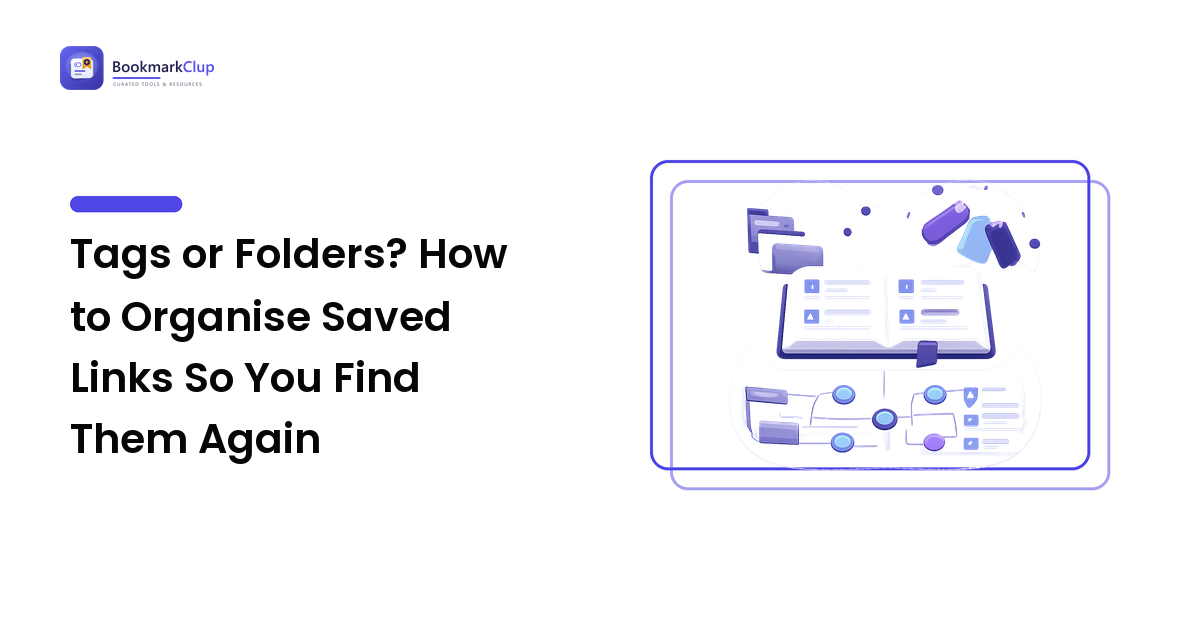
Sooner or later everyone who saves links hits the same fork in the road. One camp swears by folders — neat nested trees, everything in its place. The other swears by tags — no hierarchy, just labels and search. Both camps have people who are genuinely happy, and both have people whose libraries are a mess. That should tell you the question "tags or folders?" is the wrong question.
Here's the takeaway up front: folders answer "where does this live?" and tags answer "how will I go looking for it?" Those are two different jobs, and almost every organizing disaster comes from making one system do the other's work. The practical answer for most people is a shallow layer of folders for context plus a small, disciplined set of tags for retrieval — and this article explains the mechanism behind that, so you can adapt it instead of copying it.
The real difference: one home versus many handles
Strip away the interface and the two systems differ in exactly one way: how many places an item can be.
A folder tree is mutually exclusive. A link lives in one folder, and putting it there is a decision you make at save time. That decision is the system's whole cost — and its whole benefit. Because every item has exactly one home, you can browse the tree and see a context at a glance, with no duplicates and nothing surprising.
Tags are faceted. A link can carry any number of labels, and no label owns it. You pay almost nothing at save time; you pay later, in vocabulary discipline. Every item can be reached from several directions, so you never have to guess where you filed it — but you do have to remember the words you used.
That's it. Everything else — nesting depth, tag sprawl, the "Misc" folder — follows from this one structural difference. Folders trade flexibility for a browsable overview. Tags trade the overview for reach.
Where folders genuinely win
Folders get dismissed as old-fashioned, which is unfair. They're the better tool when:
- Your categories are obvious and few. If you can name your five or six contexts without thinking — Work, Home, a course you're taking, a project — folders are faster to use than tags, because a single drag makes the decision permanent.
- You want to browse, not search. A folder is the only structure that lets you open a container and see the whole set. Tags can approximate this, but a folder is the natural fit for "show me everything for the kitchen renovation."
- The set is the point. Anything you want to hand over as a unit — a reading list for a colleague, research for one chapter, links for one trip — is a set first and individual links second. Folders and collections model sets directly.
- Your tool doesn't do tags well. Browser bookmarks are folder-native almost everywhere; tag support ranges from decent to non-existent. Fighting your tool costs more than picking the structure it supports.
The ordering above is by how often each situation actually decides the matter: category clarity comes first because it's the strongest predictor of whether a tree stays usable, and tool support comes last because it's a constraint you can change by changing tools.
Where tags genuinely win
Tags earn their keep when the folder model starts creaking:
- Items belong to more than one context. An article about pricing strategy for a side project is Work and Side Project and Reading. In a tree you must choose one and hope you remember the choice. With tags, you don't choose.
- You retrieve by searching, not by browsing. If your instinct when you need something is to type rather than click, tags match your behavior — they're just search terms you attached in advance.
- The library is large and growing. A tree that works at 80 links starts to strain at 800, because the number of plausible homes for each new item grows with it. Tags scale flatter: adding items doesn't make the vocabulary harder to remember, as long as the vocabulary itself stays small.
- The same link serves different intents. A reference you consult, a piece you want to reread, an example you plan to steal — tags let one link be all three without duplication.
How each system fails, and why
Knowing the failure mode is more useful than knowing the feature list, because you can usually spot which one you're already living in.
The folder failure: the ambiguous item
Folder trees don't collapse under volume. They collapse under ambiguity. Every time an item plausibly fits two folders, you either make an arbitrary call, create a third folder for the overlap, or dump it in "Misc." Do that a few hundred times and you get a deep tree of near-duplicate branches, a bloated catch-all, and the sense that finding anything means reconstructing a decision you made months ago. Deep nesting isn't tidiness; it's a record of ambiguity you never resolved.
The tag failure: unbounded vocabulary
Tags don't collapse under ambiguity — they collapse under sprawl. Nothing stops you from inventing a new label, so you do: productivity, efficiency, focus, getting-things-done, all meaning roughly the same thing, splitting one topic across four labels you'll never think to check together. Tag every link with everything that might apply and each tag becomes so crowded it stops narrowing anything. Tags also give you no overview by default: a wall of labels is not a map.
Notice the symmetry. Folders fail when you won't decide; tags fail when you won't restrain yourself. The hybrid below puts each system where its failure mode is least likely to bite.
The hybrid that holds up
This is what most durable saved-link libraries converge on, whatever tool they run in:
- One shallow layer of folders, named after contexts. Five to a dozen, matching parts of your life or work — not topics. Cap the depth at two levels. If you need a third, you're using folders to do a tag's job.
- Every link gets exactly one folder: the place you'd look if you were browsing. When two fit, pick the context where you'd go hunting, not the one that's most "correct." Correctness doesn't help you find things; habit does.
- Tags carry retrieval, not description. Keep the set small and reusable, and choose each tag by asking what you'll be trying to do when you come back for the link. That's the verb-and-noun tagging method, and it's the piece that keeps a tag vocabulary from sprawling.
- Treat search as the primary way in. Folders are the map you consult occasionally; tags and search are the door you use daily. Systems designed around browsing get slower as they grow, and systems designed around search don't.
The reason this split works: you're giving folders the job where exclusivity is a feature (grouping sets you want to see together) and giving tags the job where exclusivity is a bug (finding one item from any direction).
A three-question diagnostic
If you'd rather reason it out for your own library than adopt a template, answer these:
When you need something, do you type or do you click? Typers should invest in tags and consistent titles. Clickers should invest in a small, well-named folder set — and keep it shallow so clicking stays fast.
Do your items commonly belong to two contexts at once? If yes, folders alone will cost you a duplicate or a lost link every time. If genuinely not, a tree may be all you need, and tags will just be maintenance.
How fast is the library growing? A hundred stable links can live in folders forever. One that gains links weekly will outgrow any tree, because the tree keeps sprouting branches to absorb new kinds of things.
Migrating without losing a weekend
Never re-file an entire library. It's hours of work, the enthusiasm runs out around the letter D, and you learn nothing about which structure you actually need.
- Flatten from the top. Collapse your deepest, thinnest folders upward into their parents. Depth is where the guessing lives, so removing depth is the highest-value first move.
- Change new saves first. Apply the new system only to what you save from today. Within a few weeks the part of your library you actually touch is organized, at zero migration cost.
- Tag on contact. Whenever you open an old link, spend three seconds adding its tag before you close it. Your most-used links get organized first, and the ones you never open never cost you anything — which is exactly the right allocation.
- Merge synonyms once a month. Five minutes scanning the tag list for near-duplicates and combining them is what stops the sprawl failure before it starts.
- Check portability before you commit. Whatever tool you land on, confirm you can export your links with their structure intact. A system you can't take with you is a system you'll one day rebuild by hand.
FAQ
Are tags better than folders for bookmarks?
Neither is better in the abstract — they solve different problems. Folders are better when your categories are obvious, you browse rather than search, or you want to hand a set to someone. Tags are better when items belong to several contexts at once, the library is large, or you find things by typing. Most people need a little of both.
Can I use tags and folders together?
Yes, and it's usually the most durable setup. Use a shallow folder layer for contexts, put each link in exactly one of them, and use a small tag vocabulary for retrieval across all of them. The rule that keeps it clean: folders group sets, tags find individual items.
How many folders should I have, and how deep should they nest?
Aim for a handful you can name from memory — roughly five to a dozen — and stop at two levels of nesting. Every extra level adds another decision at save time and another guess at retrieval time. If you're reaching for a third level, that distinction is better expressed as a tag.
What if my bookmark tool doesn't support tags?
Fake them in the title. Renaming a save to include one or two words you'd actually search for gives you most of the benefit of tags, because bookmark search matches titles. Keep folders shallow so search does the heavy lifting, and if tags matter to you, that's a reasonable reason to move to a tool that has them.
How many tags should each bookmark get?
Usually one or two. Adding every label that might apply feels thorough but dilutes each tag until none of them narrows a search. One stable subject plus, when there's a clear one, one action is enough for nearly everything.
Next step
Pick the smaller job first: open your bookmarks, collapse the deepest folders upward until nothing sits more than two levels down, and let each remaining folder be a context rather than a topic. Then, on your next few saves, add one tag you'd genuinely type when hunting for it later. That's the whole system — folders for where things live, tags for how you'll look.
If your current tool makes only one of the two easy, that's worth fixing: compare bookmark managers and read-it-later apps side by side at bookmarkclup.com, and pick up the weekly "10 links worth keeping" newsletter while you're there.